XME LOOPS
- 4.5
- Rating
- 50.00K
- Installs
- Free
- Price

 Analysis by App-foxy
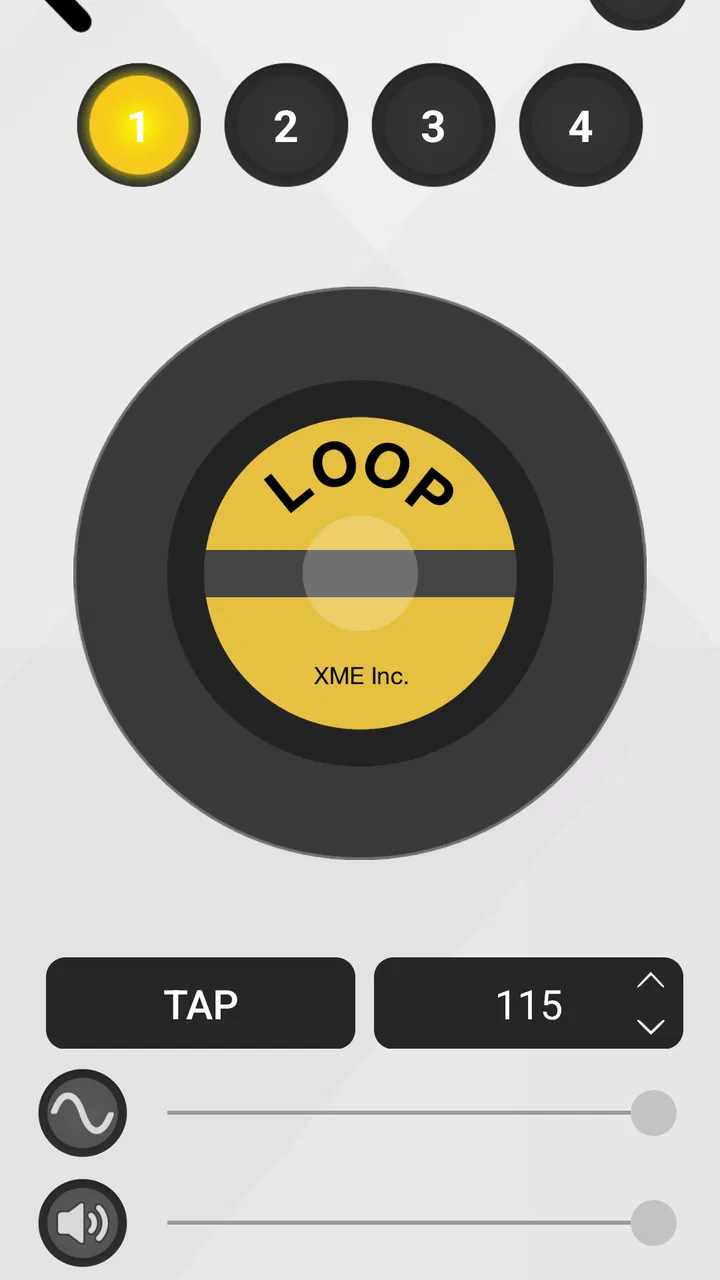
When I tried XME LOOPS, I quickly understood that its appeal is not about replacing a full music workstation. Its central idea is much narrower and, for the right listener or creator, much more useful: access to loops through a subscription-style model. Instead of treating each sound as a separate purchase, the app presents unlimited loops as the main reason to keep coming back. That changes the way I think about it. I am not opening it to master every part of music production; I am opening it when I want a quick musical starting point.
That focus makes this a distinctive music and audio app from XME Inc. It is free to install, rated for Everyone, and works on devices running Android 6.0 or later. The public response is encouraging, with a 4.5 average from around 994 ratings, while its install base has passed 50K. Those figures do not tell me whether every loop will suit my taste, but they do suggest that the app has found a real audience among people who want a faster route from an empty project to something listenable.
Unlimited loop access is the feature that defines the experience
The most important capability here is the promise of unlimited loops for ten dollars per month, with additional material added without an extra charge. In practice, that is more significant than the simple phrase “loop library.” A loop can be a drum pattern, a musical phrase, a texture, or another repeating building block, but its value depends on how quickly I can find one that fits the mood I have in mind. The subscription approach encourages browsing and experimentation because I am not forced to make a separate buying decision every time I want to try another sound.
You May Also Like

 Blood Strike: 2.5 Anniversary
Blood Strike’s Loadouts Turn Every Drop Into a Tactical Gamble
A close look at Blood Strike’s custom loadouts: how fast access to signature weapons reshapes its battle royale rhythm, rewards preparation, and narrows the gap between fights.

 Pandora - Music & Podcasts
Pandora’s Music Is Easy to Start, but Harder to Recover
Pandora’s strength is its low-effort path from a seed to a station. Its weak spot is how much confidence it asks you to place in connection, setup, and quiet recovery.

 8 Ball Pool
 Is Built on Rivalries, Rematches, and Routine
A close look at the rivalries, rematches, shared routines, and unanswered safety questions that turn a quick pool match into a persistent mobile community.

 Samsung Music
’s Quiet Strength Is Playing What You Already Own
Its reach comes less from spectacle than from dependable access to a personal library. That simplicity is both the app’s strongest retention engine and its ceiling.

 AccuWeather: Weather Radar
AccuWeather Review: A Quick, Clear Forecast for Everyday Decisions
For everyday plans, the best forecast is the one you can understand quickly. AccuWeather makes rain timing, radar, and local conditions easy to act on, with a few trade-offs.

 Hill Climb Racing
Why Hill Climb Racing Still Turns Crashes Into One More Run
A tiny car, a bumpy hill and one more upgrade: Hill Climb Racing keeps resurfacing because its simple chaos makes every near-miss feel personal.
More From Our News Desk
View All News


I found that especially useful when I was working from a vague idea rather than a finished composition. If I already know the exact instrument, tempo, and character I need, a specialized production tool may be more precise. XME LOOPS makes more sense when the starting point is something like “I want a relaxed background groove” or “I need a darker rhythmic bed.” The app’s role is to shorten that uncertain first step.
The real benefit is creative freedom at the sketching stage. Unlimited access matters less when I have one clearly defined track to complete and more when I want to test several directions before committing. I can try a bright pattern, discard it, move toward something heavier, and keep exploring without treating every experiment as a new expense. That changes my behavior: I become more willing to reject an almost-right loop instead of forcing it into a project.
There is also a practical difference between having many loops available and having a single sample pack. A fixed pack can be excellent when its style matches your project, but it may leave you searching elsewhere as soon as the arrangement moves in another direction. The subscription model gives XME LOOPS a broader role in my workflow. It works as a source of ideas rather than merely a one-time download of sounds.
What using the library feels like day to day
My most useful habit with the app was to begin with the musical job, not with a particular sound name. I would first decide whether I needed movement, atmosphere, rhythm, or a melodic hook. That kept me from scrolling aimlessly through options. Once I found a promising loop, I treated it as an anchor and imagined what would sit around it, rather than expecting the loop to become a complete song by itself.
This approach is important because loops are powerful but limited building blocks. A loop can provide instant momentum, yet it can also make a project feel repetitive if I use it without variation. I would usually choose one main element and then look for a contrasting layer instead of stacking several similar patterns. For example, a busy rhythmic part may work better with a restrained musical phrase than with another busy rhythm. The app is most helpful when it gives me material to arrange thoughtfully, not when I simply collect sounds.
A useful workflow is to audition several candidates before deciding which one deserves a place in a project. The first loop that sounds attractive on its own is not always the one that leaves room for vocals, a lead instrument, or dialogue. I pay attention to how much space it seems to occupy and whether its repeating pattern would become tiring after several cycles. That is a small but meaningful distinction between choosing a loop for instant excitement and choosing one that can support a longer arrangement.
I also recommend keeping a simple note of why a loop caught your attention. It might be the pulse, the tone, or the way it suggests a particular scene. Without that reminder, browsing can turn into a pile of disconnected ideas. XME LOOPS works better when I use its library to answer a specific creative question. The unlimited model gives me room to explore, but it does not remove the need for selection.
A realistic everyday use: turning a rough idea into a usable draft
Imagine that I am preparing a short video for a personal project and the visuals are ready, but the soundtrack feels empty. I do not need a complete studio arrangement; I need a musical foundation that gives the edit a clearer mood. I can open XME LOOPS, search by the feeling I want, and audition loops until one supports the pace of the footage. From there, I can build the draft around that repeated element or use it simply as inspiration for another tool.
The same situation applies to a songwriter who has lyrics but no rhythmic direction. Instead of tapping randomly on a desk, the writer can use a loop to test whether the words feel better over a slower, steadier, or more energetic pulse. The loop is not the finished song. It is a way to make an abstract choice audible. That can be enough to break a creative block.
I can also see value for someone learning arrangement. A beginner may understand musical theory but struggle to imagine how separate parts interact. Starting with an existing loop offers an immediate reference point. The learner can ask whether a new part should answer it, support it, or stay out of its way. This is more practical than staring at an empty timeline, although anyone using the app for serious study should eventually learn how to create and edit their own material as well.
For casual listeners, the benefit is different. Someone who enjoys making short audio sketches, mood pieces, or playful experiments may appreciate having a large supply of starting points without buying individual packs. The app can make music creation feel less intimidating because the first sound is already there. I would not describe it as a complete answer for every kind of creator, but it is a friendly doorway into loop-based work.
Where the subscription helps, and where it asks for discipline
The monthly cost is easiest to justify if I use the library regularly. A person who experiments several times a week can gain much more from unlimited access than someone who needs one sound for one project. The purchase range listed for in-app items extends from $9.99 to $109.99 per item, so I would pay close attention to the exact option shown before confirming anything. The important point is to compare the payment with your actual workflow, not with the excitement of discovering a few appealing loops.
I would also avoid subscribing solely because the word “unlimited” sounds reassuring. Unlimited access can create its own problem: too many choices. When every direction appears available, it becomes easy to spend more time browsing than composing. I get better results when I set a small goal before opening the app, such as finding one rhythmic foundation and one contrasting layer. That turns a potentially endless library into a focused tool.
Another trade-off is that loop-based creation can encourage sameness if I rely on the material without adding my own decisions. A polished loop may sound impressive immediately, but it can also dominate the identity of a track. If originality matters, I would use the app for sketches, transitions, background support, or inspiration, then reshape the result through arrangement, processing, performance, or additional recording elsewhere. XME LOOPS gives me ingredients; it does not automatically provide a personal musical voice.
This is where the app differs from a conventional digital audio workstation. A workstation is usually better when I need detailed control over recording, editing, mixing, automation, and final export. XME LOOPS is better at supplying a quick starting point. Compared with buying isolated sample packs, it offers a more flexible discovery process, but a permanent collection may be preferable for someone who wants to own a small, carefully selected toolkit and avoid an ongoing payment.
Questions I would consider before installing it
One question is whether the app is suitable for a complete beginner. In my view, yes, if the beginner understands that loops are components rather than finished compositions. The interface concept is approachable because I can start by listening and choosing, but good results still require basic judgment about repetition, contrast, and timing. Beginners who expect a one-tap song generator may find the experience less automatic than they hoped.
Another question is whether it can replace a full production setup. I would not make that substitution. Its strongest job is finding and exploring loop material. If I need to record a singer, edit a long arrangement, balance a detailed mix, or finish a release-ready master, I would move to a more complete audio environment. The app can feed that workflow, but it should not be confused with the whole workflow.
It is also worth asking whether unlimited access is valuable for occasional use. For occasional creators, the answer depends on how much the available material improves the specific project. If I only need one background idea and already own suitable sounds, another option may be more economical. If I regularly make drafts and want to explore different directions, the subscription becomes easier to understand because experimentation is part of the value.
Finally, I would ask whether a loop can be used exactly as found in every project. I would not make that assumption. I would check the usage terms presented inside the app or alongside any purchase before using material in a commercial release. That is sensible practice with any sound library, especially when the result will be distributed publicly. The app can be creatively useful without automatically answering every licensing question for me.
Who gets the most from XME LOOPS
The best match is someone who wants a steady source of musical prompts: a songwriter building demos, a video maker searching for atmosphere, a hobbyist making short sketches, or a producer who enjoys beginning with loops before adding original parts. These users benefit from the app’s main strength because they are not looking for one perfect sound only once. They want room to try, compare, discard, and start again.
I think it is particularly useful for people who lose momentum at the blank-page stage. Opening a music project with no material can make every decision feel too important. A loop lowers that barrier. Once something is playing, I can judge the direction by ear and make concrete choices. That psychological advantage is easy to overlook, but it may be more valuable than the size of the library itself.
On the other hand, I would steer away from it if you want a traditional instrument app, a complete recording studio, or a tightly curated collection that you purchase once and keep. It may also disappoint creators who need highly specific control over every note and sound from the beginning. In those cases, a full workstation, a dedicated instrument, or a smaller specialized library may fit better.
The current release is version 2.0.8, and the app has been available since July 1, 2017. That history gives it a more established feel than a brand-new experiment, while the Android requirement of version 6.0 or later keeps it accessible to many older devices. I would still judge the experience on the phone or tablet I plan to use, because audio browsing is much more comfortable when the screen, speakers, and storage situation are suitable.
My final take after using its main idea
XME LOOPS succeeds when I treat it as a creative reservoir rather than a complete studio. The unlimited-loop concept makes experimentation less restrictive, and that is the feature that gives the app its identity. I can move from a vague mood to a playable idea quickly, compare alternatives without guarding every attempt, and use the results as foundations for more personal work.
Its limitations are equally clear. Unlimited choice can slow me down, loops can sound repetitive when they are not arranged carefully, and the subscription is harder to justify for very occasional use. The app also does not remove the need for a separate production environment when a project demands detailed editing or final mixing. Those are not minor details; they determine whether the service feels like a useful part of my routine or an unnecessary extra.
For me, the deciding test is simple: if I regularly need fresh musical starting points, I can see real value here. If I already have a dependable sound collection and only make music rarely, I would compare the cost and workflow with the alternatives before committing. Used with a clear purpose, XME LOOPS is an effective way to get past silence and into the making of something. I recommend it most to creators who value fast exploration more than complete production control.
FAQs for XME LOOPS
01What is XME LOOPS and what can I use it for?
XME LOOPS is a music-focused application designed for creating, exploring, and working with loop-based audio content. It can be useful for beat makers, musicians, producers, and beginners who want to experiment with repeating rhythms, melodies, and sound patterns. Before downloading, users should check the current app description because available instruments, loop libraries, editing tools, and export options may vary between versions and platforms.
02Is XME LOOPS suitable for beginners without music-production experience?
The app can be approachable for beginners because loop-based creation generally allows users to build music by combining ready-made sounds instead of recording or arranging every note manually. However, the learning experience depends on the interface and the number of available controls. New users may need some time to understand timing, layering, tempo, effects, and project organization, especially if they want to create more complex arrangements.
03Does XME LOOPS require an internet connection to work?
Some features of XME LOOPS may work offline after the application and any required sound content have been installed, but internet access can still be necessary for downloading loops, receiving updates, synchronizing content, or accessing online features. Availability may also depend on the device and operating system. It is best to review the app’s permissions and store listing before downloading if offline use is important to you.
04Can I export or share music created in XME LOOPS?
Export and sharing capabilities are important to check before using XME LOOPS for finished projects. Depending on the version, the app may allow users to save creations, share audio, or continue working with projects inside the application, while some formats or advanced options could be limited. Users should confirm whether the app supports the file type, quality, and sharing method they need for social media, collaboration, or further production.
05Is XME LOOPS free to download, and are there in-app purchases?
The download price and included features can differ between Android and iOS, and the application may offer optional purchases, subscriptions, advertising, or additional sound packs. A free installation does not always mean that every loop, instrument, export option, or editing tool is available without payment. Before installing, review the store page carefully and check the purchase terms so you understand which features are included in the basic version.
Pros
- Loop-based workflow makes it easy to build tracks quickly.
- Includes a broad variety of sounds for different music styles.
- Useful for sketching ideas without needing advanced production skills.
- Touch controls are generally intuitive on compatible devices.
- Good option for experimenting with rhythm and layered arrangements.
Cons
- The free content may feel limited for frequent users.
- Some features or sound packs may require in-app purchases.
- Complex arrangements can be difficult to manage on a small screen.
- Audio export options may not satisfy users needing professional formats.
- Performance can vary depending on the device and project complexity.

XME LOOPS
Gallery